Mac Installation Guide
Install Giga Creator on your Mac in a few simple steps
1. Download the app
Download the latest version of Giga Creator for Mac from our website (click here).
2. Open the downloaded file
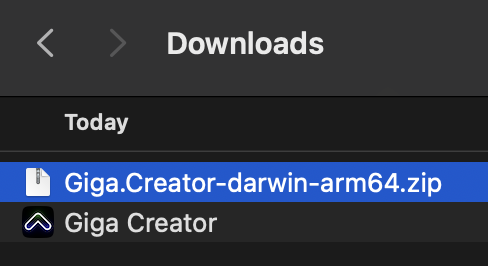
- Find the
.zipfile in your Downloads folder - Double-click to open it.
- You will now see a "Giga Creator" icon in your downloads folder.
3. Open Applications folder
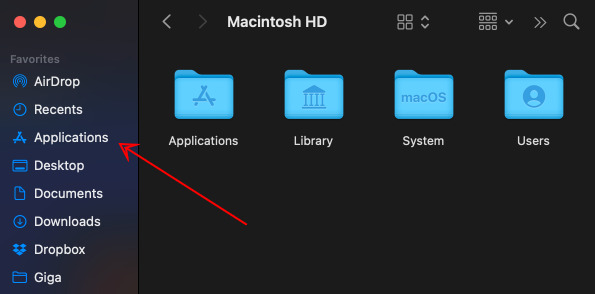
Open a new Finder window and go to your Applications folder.
Keep both windows open—your Downloads folder and your Applications folder.
4. Drag to Applications
Drag the Giga Creator icon from your Downloads window into your Applications window.
5. Open Giga Creator
In your Applications folder, double-click Giga Creator to launch it.
If you see a security warning, go to System Settings > Privacy & Security and click "Open Anyway".
6. Sign in
Click the "Sign In" button and authenticate in your browser.
You're ready
Once signed in, you can start building your first project with AI!