Mac Uninstallation Guide
Remove Giga Creator from your Mac in just a few steps
1. Quit Giga Creator
Make sure Giga Creator is not running. Right-click the icon in your Dock and select "Quit".
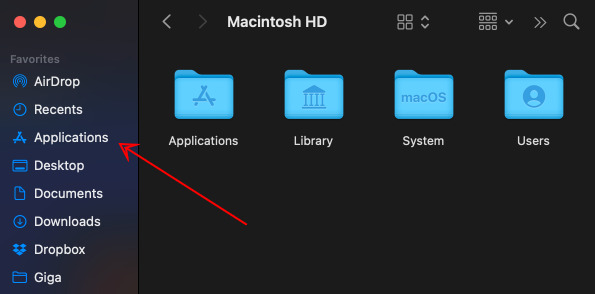
2. Open Applications folder
Open Finder and go to your Applications folder.
3. Delete the app
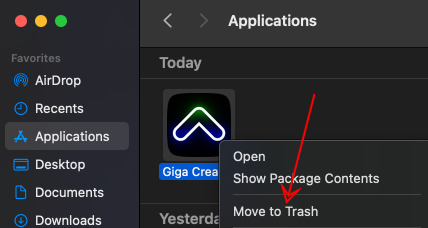
Find Giga Creator, right-click it, and select "Move to Trash".
That's it. Giga Creator has been removed from your Mac.